最完整学术爬虫指南:用Katana高效采集文献数据
你是否还在为学术研究中的文献数据采集而烦恼?手动下载论文PDF效率低下,传统爬虫难以处理动态加载的学术页面?本文将带你使用下一代爬虫框架Katana(GitHub_Trending/ka/katana),轻松实现学术论文的自动化采集,从配置到高级功能全覆盖,让你的文献研究效率提升10倍!
Katana简介:为什么选择它进行学术爬取
Katana是一个快速、可配置的Web爬虫框架,支持标准模式和无头浏览器模式,特别适合处理复杂的学术网站。其核心优势包括:
- 双重爬取模式:标准模式快速高效,无头模式(pkg/engine/hybrid/hybrid.go)可处理JavaScript渲染的动态页面
- 智能表单填充:自动填写学术网站的搜索表单(pkg/utils/formfill.go)
- 灵活的范围控制:精确限定爬取域名和路径,避免无关内容(internal/runner/options.go)
- 结构化输出:支持JSONL格式保存文献信息,便于后续分析(pkg/output/format_json.go)
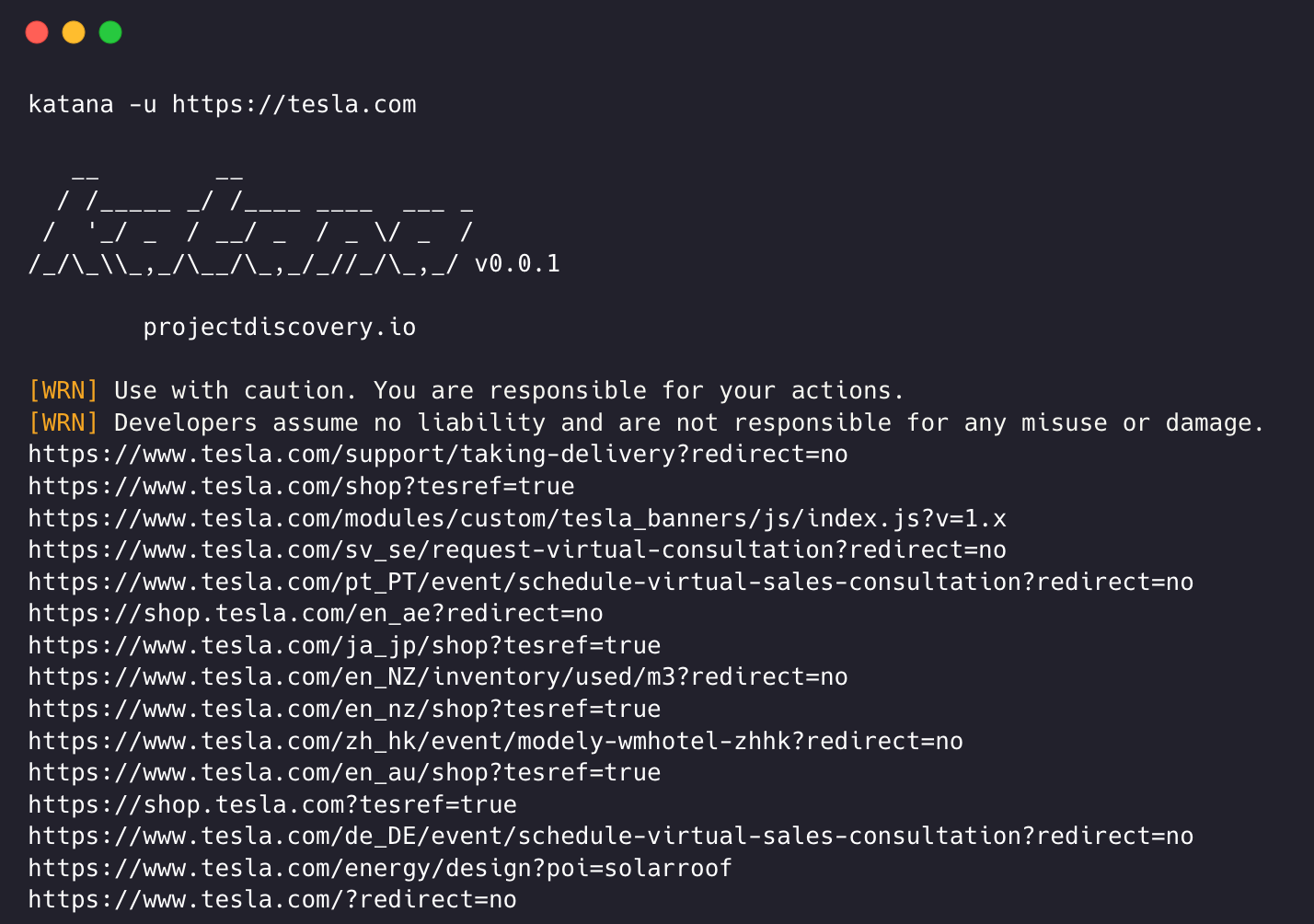
环境准备与安装
系统要求
Katana需要Go 1.24+环境,推荐使用Linux或macOS系统。完整安装指南可参考README.md。
安装命令
# 源码安装
CGO_ENABLED=1 go install github.com/projectdiscovery/katana/cmd/katana@latest

# 或使用Docker
docker pull projectdiscovery/katana:latest
验证安装
katana -version
若安装成功,将显示当前版本号。
基础学术爬取:以IEEE Xplore为例
简单爬取命令
katana -u "https://ieeexplore.ieee.org/search/searchresult.jsp?newsearch=true&queryText=machine+learning" \
  -depth 3 \
  -jc \
  -kf robotstxt,sitemapxml \
  -em pdf \
  -o ieee_papers.txt
参数说明:
-depth 3: 爬取深度设为3层,适合学术网站的层级结构-jc: 启用JavaScript解析,处理动态加载的论文列表-kf robotstxt,sitemapxml: 爬取网站的robots.txt和sitemap.xml-em pdf: 仅保留PDF文件链接(论文全文)-o ieee_papers.txt: 结果保存到文件
输出结果示例
https://ieeexplore.ieee.org/stamp/stamp.jsp?tp=&arnumber=9747342
https://ieeexplore.ieee.org/stamp/stamp.jsp?tp=&arnumber=9711234
https://ieeexplore.ieee.org/stamp/stamp.jsp?tp=&arnumber=9687654
高级配置:提升学术爬取效率
自定义请求头与Cookie
学术网站常需要登录才能访问全文,可通过-H参数添加认证Cookie:
katana -u "https://www.sciencedirect.com/search?qs=artificial+intelligence" \
  -H "Cookie: uid=xxxx; session=yyyy" \
  -headless \
  -no-sandbox \
  -timeout 30 \
  -o sciencedirect_papers.jsonl \
  -jsonl
配置文件格式参考:pkg/utils/formfields.go
表单自动填充
Katana支持自动填充学术网站的搜索表单,特别适合需要关键词搜索的场景:
katana -u "https://scholar.google.com/" \
  -aff \
  -fc custom_form_config.yaml \
  -depth 2 \
  -sf url \
  -sfd scholar_results
其中custom_form_config.yaml配置文件示例:
forms:
  - selector: "form[action='/search']"
    fields:
      - name: "q"
        value: "deep learning"
      - name: "as_ylo"
        value: "2023"
结构化数据采集
JSONL格式输出
使用-jsonl参数获取结构化的文献数据:
katana -u "https://link.springer.com/search?q=quantum+computing" \
  -jsonl \
  -ot "{{.URL}} {{.Title}} {{.Author}}" \
  -o springer_papers.jsonl
输出模板配置参考:pkg/output/format_template.go
提取特定字段
通过-output-template自定义输出字段,适合提取文献元数据:
katana -u "https://www.sciencedirect.com/journal/artificial-intelligence" \
  -output-template "{{.URL}}|{{.StatusCode}}|{{.ContentType}}|{{.Title}}" \
  -silent \
  -o ai_journal_articles.csv
爬取策略优化
深度与广度优先选择
学术网站通常采用两种爬取策略:
- 深度优先(默认):适合主题集中的搜索
katana -u "https://arxiv.org/list/cs.AI/recent" -s depth-first - 广度优先:适合发现更多相关期刊/会议
katana -u "https://dblp.org/db/conf/nips/nips2023.html" -s breadth-first
策略实现代码:pkg/utils/queue/strategy.go
速率限制与并发控制
为避免被学术网站封禁IP,建议合理设置速率限制:
katana -u "https://www.acm.org/dl" \
  -c 5 \
  -rl 20 \
  -rd 2 \
  -debug
-c 5: 并发数设为5-rl 20: 每秒最多20个请求-rd 2: 请求间隔2秒
实战案例:爬取SpringerLink的论文元数据
完整配置文件
创建springer_config.yaml:
crawl-scope:
  - "/article/"
  - "/chapter/"
field-scope: rdn
max-depth: 4
output:
  format: jsonl
  fields:
    - url
    - title
    - authors
    - publication_date
    - doi
执行爬取
katana -u "https://link.springer.com/search?query=climate+change" \
  -config springer_config.yaml \
  -headless \
  -system-chrome \
  -xhr \
  -sf url \
  -sfd springer_results
结果处理
爬取的JSONL结果可使用Python进行解析:
import json

with open('springer_papers.jsonl', 'r') as f:
    for line in f:
        paper = json.loads(line)
        print(f"Title: {paper['title']}")
        print(f"DOI: {paper['doi']}")
        print(f"URL: {paper['url']}\n")
常见问题与解决方案
1. 爬取速度慢
解决方案:
- 检查网络连接
- 降低并发数(
-c) - 禁用JavaScript解析(
-jc=false)
2. 被目标网站阻止
解决方案:
- 使用代理(
-proxy) - 增加请求间隔(
-rd) - 模拟浏览器指纹(
-tlsi)
3. 无法获取PDF链接
解决方案:
- 启用无头模式(
-headless) - 提供登录Cookie(
-H) - 检查robots.txt配置(pkg/engine/parser/files/robotstxt.go)
总结与进阶
通过Katana,我们可以高效地爬取各类学术资源,从IEEE、Springer到arXiv。关键优势在于:
- 双重爬取模式:标准模式快速高效,无头模式处理复杂场景
- 智能表单填充:自动完成学术网站的搜索表单
- 灵活的输出格式:支持自定义字段,便于文献数据分析
进阶学习资源:
- 官方文档:README.md
- 源码解析:pkg/engine/engine.go
- 社区案例:cmd/functional-test/main.go
建议结合学术网站的robots.txt规则合理爬取,遵守网站的爬虫协议,避免过度请求影响服务稳定性。
祝你的学术研究之旅顺利!
 atomcodeClaude Code 的开源替代方案。连接任意大模型,编辑代码,运行命令,自动验证 — 全自动执行。用 Rust 构建,极致性能。 | An open-source alternative to Claude Code. Connect any LLM, edit code, run commands, and verify changes — autonomously. Built in Rust for speed. Get StartedRust0172
 cann-learning-hubCANN 学习中心仓,支持在线互动运行、边学边练,提供教程、示例与优化方案,一站式助力昇腾开发者快速上手。Jupyter Notebook098
 Step-3.7-FlashStep-3.7-Flash是一个拥有 1980 亿参数的稀疏混合专家(MoE)视觉语言模型,由 1960 亿参数的语言主干网络和 18 亿参数的视觉编码器组合而成,具备原生图像理解能力。Python00
 BitCPM-CANN-8BBitCPM-CANN 是首个基于华为昇腾 NPU 原生构建的端到端 1.58 位(三值化)大语言模型训练系统。该系统将量化感知训练(QAT)集成到 Megatron-LM 框架中,并结合 MindSpeed 加速,覆盖了从自定义三值算子到基于昇腾 910B 的分布式并行训练的完整训练栈。Python00
- MiniCPM5-1BMiniCPM5-1B,这是 MiniCPM5 系列的首款模型。它是一个专为端侧、本地部署和资源受限场景打造的 10 亿参数密集型 Transformer 模型,达到了 10 亿参数级开源模型的 SOTA 水平Jinja00
 skillhubopenJiuwen 生态的 Skill 托管与分发开源方案,支持自建与可选 ClawHub 兼容。Python0239

项目优选
 kernel
 docsatomcodeops-transformer
 pytorchcann-learning-hub
 kernelops-math
 flutter_flutterops-nn